WooCommerce development and custom commerce
Custom WooCommerce development where a store fits, and custom commerce on WordPress where it does not. We work out which one you need before anything is built.
- The platform decided first, from what you actually sell
- WooCommerce themes, templates and extensions built properly where it fits
- Custom commerce where a full store is the wrong shape
- Payments, subscriptions and invoices built directly when that is simpler
Is WooCommerce the right tool here?
WooCommerce is the right answer for a large share of commerce on WordPress, and it brings products, variations, cart, checkout, tax, shipping, orders, refunds and reporting that nobody should rebuild. A membership, a course or a payment for a service is often a different project. Built on a store, it arrives with most of the store switched off. We settle the question first, and we will tell you if WooCommerce is the wrong fit.
-
When WooCommerce fits
Several products with variations, real inventory, shipping and tax rules, order workflows, and a team that needs a familiar store back end. The extension ecosystem is the asset, and its upkeep is worth paying for.
-
When custom commerce fits
One product or a handful. A subscription, a membership or a course. A deposit or a payment tied to a service. A checkout that has to work differently from a store’s. A direct payment integration means less code, fewer dependencies and less to maintain.
Custom WordPress development
Custom WooCommerce development, done properly
Theming and templates
Store, product, cart and checkout templates built into your site’s design system, so the shop looks and behaves like the rest of the site.
Custom functionality
Extensions written where the ecosystem lacks the behaviour you need, instead of three plugins and a chain of filters that only approximate it.
Payments and integrations
Payment gateways set up correctly, and orders connected to the systems you already run, such as accounting, CRM, fulfilment and member records.
Performance
Stores run many database queries and slow down as the catalogue grows. We work on queries, caching and templates during the build, instead of adding a caching plugin at the end.
Accessible checkout
Checkout is where keyboard and screen reader users meet the most problems, and where customization breaks things most often. Focus, labels and error messages are build requirements, checked against WCAG 2.2 AA.
Few extensions
Every extension adds a licence to renew, an update cycle and more code exposed to attack. We keep the count low and document what each one is for.
A store you can keep updating
A long extension list is a common reason an older WooCommerce site can no longer be updated safely. We plan against that from the start.
- The platform recommended in writing, with the reasons
- Each extension documented with what it does and why it is there
- Code written to WordPress coding standards, in version control you own
- Each phase estimated in writing before it starts
A senior lead plans the store and builds it with the team. When we take over a store someone else built, we assess it first and tell you in writing what has to change before it can be updated safely.
Purpose      Why the store needs it
Licence      A renewal, every year it stays
Updates      Its own release cycle to test and apply
Security     More code exposed to attack
Selling something on WordPress?
Tell us what you sell and how the purchase has to work. We reply within one business day, and you get our platform recommendation in writing before any build starts.
Discuss your projectCustom commerce, in practice
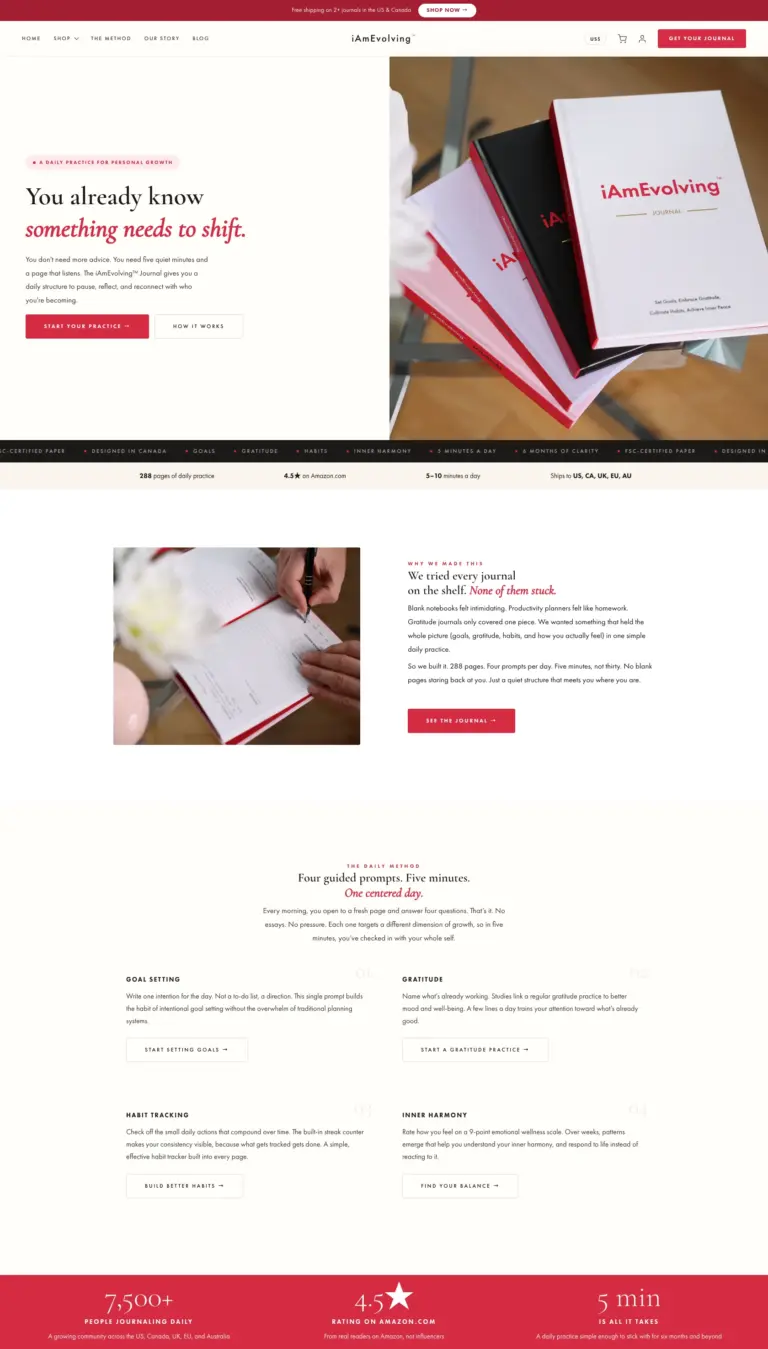
The one commerce project in our portfolio deliberately does not use WooCommerce. iAmEvolving® sells physical journals with shipping, digital downloads with token-based delivery, subscriptions and courses. Stripe handles payment in USD and CAD, and the site generates its own PDF invoices. One custom theme does the work that would usually take WooCommerce, Mailchimp, LearnDash and several add-on plugins. If your project needs a conventional store, we will most likely recommend WooCommerce.
WooCommerce and custom commerce, answered
Should we use WooCommerce or build something custom?
Count your products and look at your checkout. A catalogue with variations, real inventory, shipping and tax rules, and a team that needs an order back end is what WooCommerce was made for, and rebuilding that would waste your budget. One product, a membership, a course, a subscription or a payment for a service usually ends up as a store with most features turned off and several extensions to renew. You get our recommendation in writing before any build.
Can you take over an existing WooCommerce store?
Yes, after an assessment. An inherited store can carry extensions nobody can account for, or a checkout customized so far that updates are no longer safe, or both. The assessment tells you which applies and what it takes to bring the store up to date. Ongoing updates are covered by maintenance and support.
How many extensions will we end up with?
As few as the store can work with, each documented with what it is for. Every extension is a licence renewal, an update cycle and more code exposed to attack. A long extension list is a common reason an older WooCommerce site cannot be updated safely.
Do you handle subscriptions and memberships?
Yes, and this is where the platform question matters most. In WooCommerce, subscriptions mean the store, plus an extension, plus its renewal. Built directly on Stripe Subscriptions, they often need less code and have fewer moving parts. iAmEvolving® works that way, with recurring billing and course delivery in one custom system.
Will a large catalogue make the site slow?
WooCommerce runs many queries and does get slower as a catalogue grows. That is an engineering problem with known fixes. Query and template work and a caching strategy decided with the architecture keep a large store fast. A caching plugin installed at the end does not.
Is the checkout accessible?
Checkout is the part of a store where mistakes cost the most and the part customization breaks most often. Keyboard use, focus management, error handling and clear labels are build requirements, checked during the build against WCAG 2.2 AA. More on our accessibility work.
Other services we offer
- Website redesign and modernizationA new site that keeps its URLs and rankings
- Custom WordPress developmentContent models, blocks and plugins
- Enterprise WordPress developmentPlatforms with data in other systems
- Gutenberg block developmentBlocks editors use on their own
- Multisite and bilingual networksSeveral sites run as one platform
- API and system integrationsConnect WordPress to your CRM and tools
- Content and data migrationMove your content without losing traffic
- AccessibilityBuilt to WCAG 2.2 AA
- TYPO3 developmentNew sites, upgrades and support for TYPO3
- AI agents and automationRepetitive work taken off your team
- Maintenance and supportUpdates, security and new features